 By Nick Quirk
August 2, 2026
10 min read
By Nick Quirk
August 2, 2026
10 min read
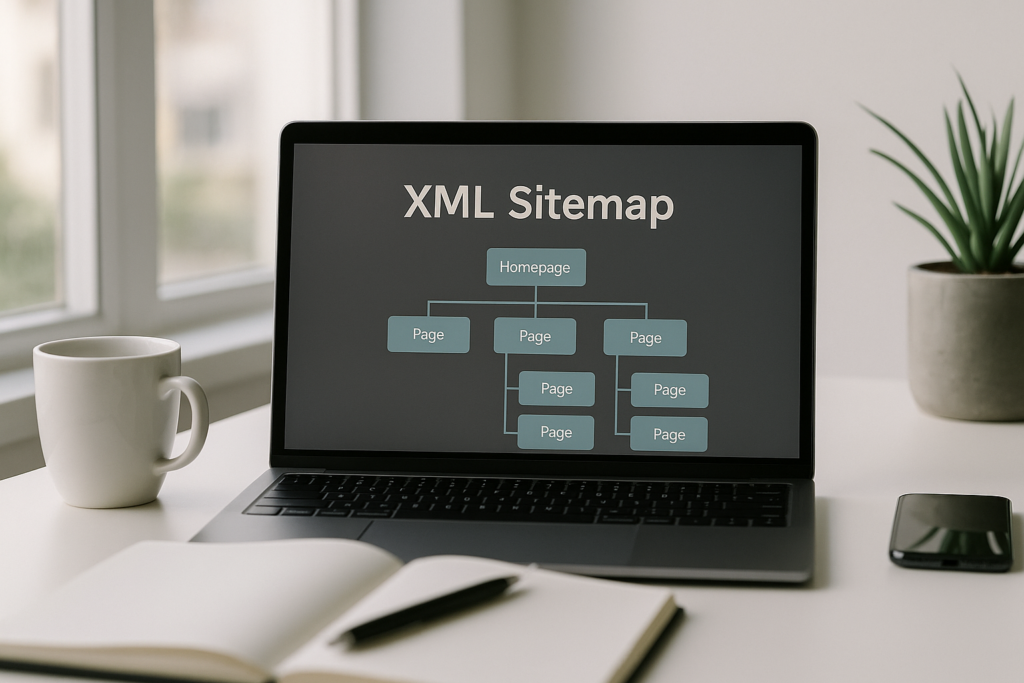
An XML sitemap is a file that lists the URLs you want search engines to crawl, and submitting it to Google takes about two minutes inside Search Console. Most sites generate one automatically through a plugin or platform, then add the file path in the Sitemaps report. The harder part, and the part almost nobody covers, is keeping that list clean enough to be useful.
This guide walks through how to create and submit a sitemap, what the format actually requires, and how to read the report afterward so it becomes a diagnostic tool instead of a checkbox.
What an XML Sitemap Actually Does
A sitemap is a discovery aid, not a ranking factor. Google uses it to find URLs it might otherwise miss, and to pick up hints about when a page last changed. It does not guarantee indexing, and a page in your sitemap can still be excluded if Google judges it thin, duplicative or low value.
According to Google Search Central, you probably need a sitemap if your site is large, new with few external links, or heavy on rich media and pages that are poorly linked internally. Small, well-linked sites under roughly 500 pages often get crawled fine without one.
That said, there is almost no downside to having one. The real value shows up later, when the Sitemaps report tells you how many of your submitted URLs Google actually kept.
Sitemap Formats: XML, RSS, Text and Index Files
XML is the standard, but Google accepts several formats and treats them equally for discovery purposes:
- XML sitemap: the full-featured option, supporting
lastmodand extensions for images, video and news. - RSS, mRSS and Atom 1.0: your blog feed usually works as a lightweight sitemap of recent content, which is handy as a supplement.
- Text sitemap: a plain .txt file with one URL per line, UTF-8 encoded, with no other markup. Simple and surprisingly effective for large catalogs.
- Sitemap index file: an XML file that points to other sitemap files, which is how large sites stay within the limits.
Every format has hard caps: 50,000 URLs and 50MB uncompressed per file. Exceed either and you split the list across multiple files and reference them from a sitemap index. Gzip compression is allowed, and the 50MB ceiling applies to the uncompressed size.
A minimal sitemap XML example
The structure is straightforward. Each URL sits in a <url> block with a required <loc> tag holding the full absolute address, including protocol:
<urlset>wraps the whole document and declares the sitemaps.org namespace.<loc>holds one canonical URL, escaped for ampersands and other reserved characters.<lastmod>holds the last meaningful modification date in W3C Datetime format.
The priority and changefreq tags are still valid under the sitemaps.org protocol, but Google has said publicly that it ignores both. Do not spend a minute tuning them.
How to Create a Sitemap for Google
Almost nobody hand-codes these anymore, and you shouldn’t either unless your site is tiny or unusual. Pick the method that matches your setup.
- Your CMS or platform: WordPress has generated a basic sitemap at /wp-sitemap.xml since version 5.5. Shopify publishes one at /sitemap.xml automatically. Squarespace, Wix and Webflow all do the same.
- An SEO plugin: Yoast, Rank Math or SEOPress replace the default file with a better one, usually at /sitemap_index.xml, and let you exclude post types, tag archives and author pages you don’t want crawled.
- A crawler or sitemap generator: Screaming Frog, Sitebulb and free web-based generators crawl your site and export an XML file you upload to the root directory. Useful for static sites and legacy builds.
- Custom output: large ecommerce and database-driven sites usually generate sitemaps programmatically on a schedule so the list matches inventory in near real time.
Whichever route you take, host the file on the domain it covers and place it as close to the root as possible. A sitemap at /sitemap.xml can reference any URL on that host; a sitemap buried in /files/ is limited to that directory unless you use cross-submission.
We cover this topic in more depth in Mobile-First Indexing: Is Your Site Truly Mobile-Friendly?.
We cover this topic in more depth in How to Rank in the Google Local Pack (The Map Pack).
For a closer look at this topic, see our guide: How to Optimize Your Google Business Profile in 2026.
For a closer look at this topic, see our guide: The Impact of Site Architecture on Crawlability and Indexation.
How to Submit Your Sitemap to Google
Google Search Console is the only submission method that gives you feedback, so start there.
- Sign in to Google Search Console and select the property for your site. If you haven’t set one up, add a Domain property and verify ownership through DNS, which covers every subdomain and protocol at once.
- Open Indexing > Sitemaps in the left navigation.
- In the “Add a new sitemap” field, enter the path after your domain, for example
sitemap_index.xml, then click Submit. - Refresh after a few minutes. Status should read “Success” with a discovered URL count. “Couldn’t fetch” usually means a typo, a 404 or a robots.txt block.
Add a reference line in your robots.txt file too, since that is how Bing, DuckDuckGo and other crawlers find it without an account: Sitemap: https://example.com/sitemap.xml. Also submit through Bing Webmaster Tools, which now feeds IndexNow and covers Yahoo and Copilot results.
One thing that changed: Google retired the sitemap ping endpoint in 2023. Those old “ping Google” URLs no longer do anything, so ignore any tutorial still recommending them. Search Console and robots.txt are the two methods that matter now.
The Part Most Guides Skip: Sitemap Hygiene
Submitting the file is trivial. Curating it is where the actual SEO value sits, and it is the step that separates a sitemap from a stale URL dump.
Your sitemap should be a statement of intent: these are the canonical, indexable, valuable URLs on this site. When it contains redirects, 404s, noindexed pages and non-canonical duplicates, you are sending mixed signals and burning crawl budget on a site that may not have much to spare.
- Only include 200-status URLs that are self-canonical and indexable.
- Keep
lastmodhonest. Google has stated it will start distrusting the field if every URL updates to today’s date on every regeneration. - Exclude thin archives: tag pages, author pages, paginated series and internal search results rarely deserve a slot.
- Split by content type. Separate sitemaps for products, blog posts and category pages let you compare indexing rates section by section.
That last point is the trick worth stealing. If your product sitemap shows 92 percent indexed and your blog sitemap shows 40 percent, you have isolated a content quality problem to one part of the site without crawling anything. It pairs well with the kind of technical SEO groundwork that catches issues before they compound.
Reading the Sitemaps Report and Fixing Errors
After Google processes the file, the report shows discovered URLs and links through to the Pages report filtered by that sitemap. The gap between submitted and indexed is the number to watch.
Common problems and what they usually mean:
- Couldn’t fetch: wrong path, server error, or a robots.txt rule blocking the file. Test the URL in an incognito window first.
- URL not allowed: the sitemap references URLs on a different host or protocol than where it lives. Match http/https and www exactly.
- Invalid date:
lastmodis not in W3C format. Use YYYY-MM-DD or the full timestamp version. - Submitted URL marked noindex: a page is in the sitemap while carrying a noindex tag. Pick one.
- Discovered, currently not indexed: Google found the page and chose to skip it. That is a content or internal linking issue, not a sitemap issue.
Google typically recrawls sitemaps on its own schedule, often within a few days for active sites, so there is no need to resubmit after every publish. Resubmit only when you change the file’s location or structure. If a sitemap is genuinely obsolete, delete it in Search Console and remove the file from your server, since deleting the report entry alone does not stop Google reading the file.
Where Sitemaps Fit in the Bigger Picture
A sitemap helps Google find pages. It does nothing to make those pages worth ranking. Internal links still carry the weight for both discovery and authority distribution, which is why a deliberate internal linking structure outperforms a sitemap for anything past initial crawling.
Treat the sitemap as one input among several. Page speed, on-page structure, natural use of semantically related keywords and a link profile free of toxic backlinks all matter more once your pages are already being crawled.
Frequently Asked Questions
How do I submit a sitemap XML to Google?
Open Google Search Console, go to Indexing > Sitemaps, enter the file path such as sitemap.xml and click Submit, which takes under two minutes. Status updates to “Success” once Google fetches the file, usually within a few minutes to a few hours. Adding a Sitemap: line to robots.txt covers other search engines at the same time.
Do you need to submit a sitemap to Google?
No, it is optional, and sites under roughly 500 well-linked pages are typically crawled fine without one. Sitemaps matter most for large sites, brand new domains with few backlinks, and sites with pages that are not reachable through normal navigation. Submitting one also gives you indexing data you cannot get any other way.
How do I create a sitemap for Google?
The fastest route is an SEO plugin or your platform’s built-in generator, which produces a valid file in under 5 minutes. WordPress, Shopify, Wix and Squarespace all output one automatically, while tools like Yoast, Rank Math or Screaming Frog give you control over what gets included. Manual XML is only worth the effort for very small or unusual sites.
How to submit sitemaps?
There are three methods that still work in 2026: Google Search Console, Bing Webmaster Tools, and a Sitemap directive in your robots.txt file. Google’s old ping endpoint was deprecated in 2023 and no longer does anything. Search Console is the only option that reports back on errors and indexing coverage.
How often should I update my sitemap?
Most sitemaps regenerate automatically whenever you publish or update a page, so no manual work is required. If yours is generated by a crawler export, refresh it monthly, or weekly for sites publishing more than a few pages a week. Only resubmit in Search Console when the file’s URL changes.
Want a Second Set of Eyes on Your Indexing?
If your sitemap says 1,200 URLs and Google has indexed 300, the file is not the problem and a plugin setting won’t fix it. SEO Quirk digs into crawl and indexing data for clients across Bucks County and beyond, and there are real advantages to working with a local agency that will actually walk you through the findings.