 By Nick Quirk
October 3, 2026
7 min read
By Nick Quirk
October 3, 2026
7 min read
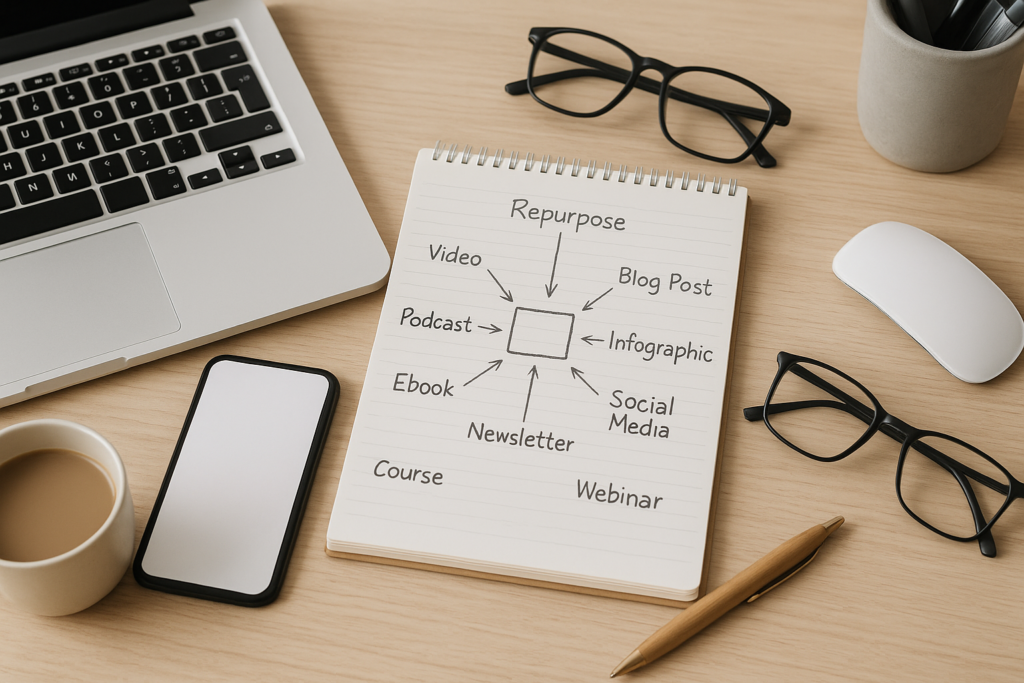
A single 1,800-word article contains roughly enough raw material for three short videos, a podcast segment, a five-email sequence, two carousels, an infographic, a slide deck and a downloadable checklist. The trick to repurposing one piece of content into 10 different formats is not working harder on the back end, it is choosing the right source piece and breaking it apart along its natural seams. Here is the process, format by format, plus the workflow that keeps it from eating your week.
Start With a Piece That Earns the Effort
Not every post deserves ten spin-offs. The best candidates are articles that already pull traffic, answer a question your sales team hears weekly, or contain original data nobody else has published.
Before you commit a week to reformatting something, check three signals:
- Performance: it ranks on page one, or it drives more than 5% of your organic sessions.
- Shelf life: the advice will still hold in eighteen months. Our breakdown of evergreen versus trending content is a useful filter here.
- Structure: it has clear subheads, a list, a process or a number in the title. Loose, meandering essays resist being chopped up.
If your piece supports a larger topic hub, repurposing also strengthens the hub. Articles built on the pillar and cluster model tend to split cleanly because each subhead already covers one defined subtopic.
The 10 Formats, In the Order That Makes Sense
Sequence matters. Record the audio and video assets first, because everything else can be pulled from the transcript without extra production time.
1. A Long-Form Video Walkthrough
Talk through the article on camera or over a screen share for eight to twelve minutes. You do not need a script, just the subheads on a second monitor. This single recording becomes the source file for formats two, three and four.
2. Three to Five Short Vertical Clips
Cut the strongest 30 to 60 seconds from each section for Reels, Shorts and TikTok. Lead with the claim, not the setup, because the first two seconds decide whether anyone watches. Caption everything, since a large share of social video is viewed muted.
3. A Podcast Episode or Audio Segment
Strip the audio from your long-form video and you have a ten-minute podcast episode with no additional recording. Audio keeps growing as a discovery channel: Pew Research Center reports that roughly half of Americans have listened to a podcast in the past year.
4. A Transcript-Based Companion Post
Clean up the transcript, add timestamps and publish it alongside the video. It gives search engines crawlable text for a page that would otherwise be a thumbnail, and it gives readers who skim rather than watch a reason to stay.
5. A LinkedIn or Instagram Carousel
Take one section, not the whole article, and build six to nine slides around it. One idea per slide, a hook on slide one and a soft prompt on the last. Three sections means three carousels, each posted a week or two apart.
6. A Five-Email Sequence
Each major subhead becomes one email of 150 to 250 words with a single link back to the source article. This works especially well for onboarding sequences, where new subscribers get your best thinking spread across ten days instead of buried in an archive.
7. An Infographic or Single Data Visual
If your article contains a process, a comparison table or any original numbers, turn that one element into a standalone graphic. Skip the tall, eight-section infographics that nobody reads past the fold and build one clear visual instead.
8. A Slide Deck for Webinars and Sales Calls
Twelve to fifteen slides covering the same ground gives your sales team something concrete to send after a discovery call. Decks also get reused internally for training, which is where most of their quiet value sits.
9. A Downloadable Checklist or Template
Convert the actionable steps into a one-page PDF and gate it behind an email form. A checklist built from an article that already ranks tends to convert between 3% and 8% of page visitors, far better than a generic newsletter signup box.
10. Direct Answers in Q&A Spaces
Answer real questions on Reddit, Quora and industry forums using the reasoning from your article, rewritten for that specific thread. These answers increasingly surface in AI search results, and in 2026 that visibility matters as much as a blue link on page one.
A Two-Week Repurposing Sprint That Fits a Real Schedule
Most content repurposing advice fails on the calendar, not the concept. Ten formats sounds like a month of work, but it compresses into about six focused hours if you batch by production type rather than by platform.
- Day one, 90 minutes: re-read the source piece, outline the angles and record the long-form video.
- Day two, 2 hours: cut the clips, pull the audio, clean the transcript.
- Day three, 90 minutes: write the email sequence and the carousel copy from the transcript.
- Day four, 60 minutes: build the visual, the deck and the checklist in a template you reuse every time.
- Days five through fourteen: schedule the drops across platforms, spacing each format at least 48 hours apart.
Templates are what make the fourth day survivable. Build the carousel frame, the email header and the checklist layout once, then swap content into them for every future sprint. Slot the whole sprint into your publishing rhythm using an organized content calendar so repurposing weeks alternate with original production weeks.
What Does Not Survive the Jump
Some material simply does not translate. Long comparison tables flatten into unreadable mush on a phone screen, and nuanced caveats get cut in a 45-second clip, which is how brands end up quoted saying something they never meant.
Two guardrails help. Keep your source URL in every description so the full argument is one tap away, and never republish an article verbatim on Medium or LinkedIn without a canonical reference, since Google’s search essentials expect the original to be identifiable.
Measuring Whether Repurposing Actually Pays
Track each format with its own UTM parameters so you can see which ones feed the source article and which just collect impressions. Over a quarter, you usually find that two or three formats carry most of the return and the rest can be dropped without a dip.
Useful tools for the production side include a transcription service, a clip editor with auto-captions, and a template-based design tool. You rarely need more than three paid subscriptions, and free tiers cover a monthly sprint comfortably.
If repurposing exposes questions your library never answered, that is a research signal worth acting on. Running a content gap analysis against competitors will usually show whether the demand is wide enough to justify a new source piece rather than another spin-off.
Frequently Asked Questions
What Are Some Creative Ways to Repurpose Content?
The most underused options are internal ones: sales enablement decks, support macros and onboarding emails built from public articles. Beyond that, try narrating a post as an audio note for your newsletter, turning reader comments into a follow-up Q&A, or rebuilding a 2024 post with fresh 2026 data and republishing it as a new piece.
Can You Give Me 10 Content Ideas From One Article?
Yes: a long-form video, short vertical clips, a podcast segment, a transcript post, a carousel, an email sequence, an infographic, a slide deck, a gated checklist and answers posted in Q&A communities. Each one pulls from a different part of the original, so no two assets feel like copies of each other.
What Are Some Creative Repurposing Ideas for Older Posts?
Start with posts published 18 to 36 months ago that still get traffic, since they have proven demand and stale details. Merge two thin related posts into one stronger guide, pull a single surprising statistic into a standalone social asset, or convert a how-to into an interactive calculator or quiz.
What Are Some Effective Tools for Repurposing Content?
A three-tool stack covers almost everything: a transcription tool (Descript or Otter), a clip editor with auto-captioning (Opus Clip or CapCut) and a template design tool (Canva or Figma). Expect to spend roughly $30 to $80 per month total, and add scheduling software only once you are publishing across four or more platforms.
Put Your Best Article Back to Work
If you have a post that ranks but never gets seen anywhere else, that is the one to start with. SEO Quirk can audit your existing library, flag the pieces worth splitting apart and build the repurposing workflow around your team’s actual capacity.