 By Nick Quirk
October 4, 2026
8 min read
By Nick Quirk
October 4, 2026
8 min read
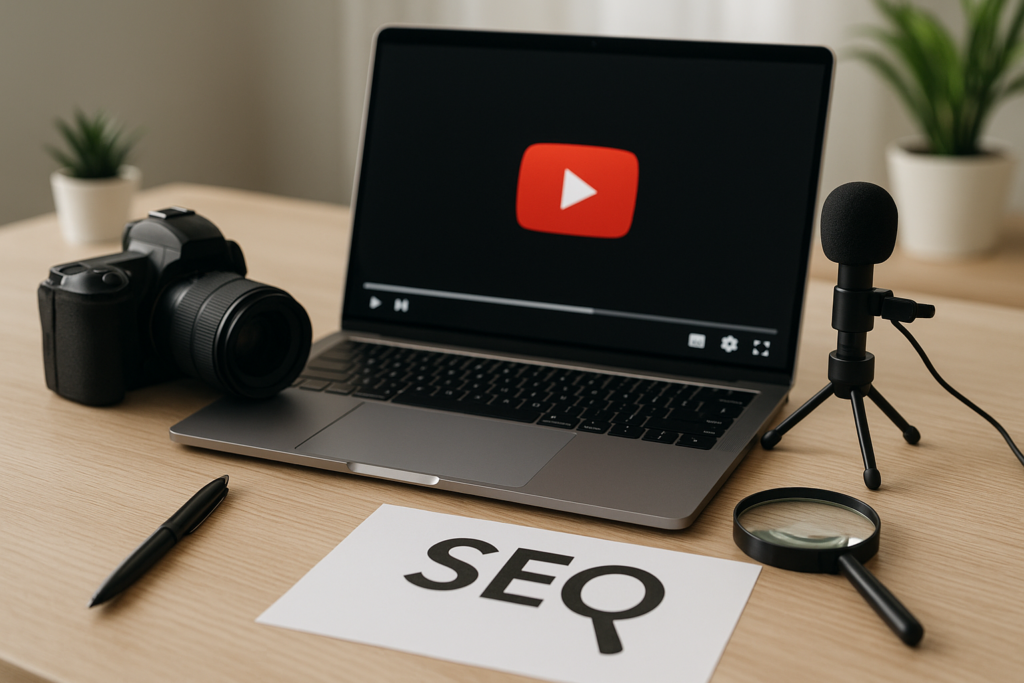
Adding video to a page does not hand you a ranking boost on its own, which is why most advice about how to use video content to supercharge your website’s SEO misses the mark. What video actually does is change behaviour on the page, open up a second set of search results (video carousels and YouTube itself), and hand search engines a transcript full of language your written copy probably skipped.
Done properly, one well-placed video can earn traffic from three directions at once. Done lazily, it slows your page down and gets ignored by both humans and crawlers.
What Video Really Changes About Your Rankings
Google has never confirmed a direct ranking factor for embedded media, but the second-order effects are measurable. Pages with a relevant video above or near the fold typically hold visitors 30 to 90 seconds longer, and longer engaged sessions correlate with fewer pogo-sticks back to the results page.
There are three distinct opportunities worth separating in your head:
- The video carousel on standard results pages, which can surface your page even when your text is ranking on page two.
- YouTube as its own search engine, where your video competes on title, description and watch time rather than backlinks.
- On-page engagement, where the video keeps a reader on your site long enough to read the rest of the content and convert.
Those three need different tactics. A clip optimised purely for YouTube discovery often makes a poor on-page explainer, because it opens with 20 seconds of channel branding nobody on your product page asked for.
Choose Your Hosting Before You Upload Anything
Where the file lives decides what SEO value you can claim. A YouTube embed sends watch-time signals to YouTube and makes the video eligible for YouTube search, but the rich result for that video usually points at youtube.com rather than your site.
Self-hosting or using a player like Wistia or Vimeo keeps the indexed video URL on your own domain, which is what you want for a service page you are trying to rank. The trade-off is bandwidth cost and the fact that you give up YouTube’s discovery engine entirely.
Most sites land on a split approach:
- YouTube for top-of-funnel educational videos where discovery matters more than attribution.
- A business-grade player on your own domain for money pages, demos and testimonials you want indexed under your URL.
- Both for flagship pieces, with the self-hosted version on the page and a trimmed cut published to YouTube pointing back.
Make the Video the Main Content, Not Decoration
Google’s own video indexing documentation is blunt about this: the video has to be the primary content of the page it sits on, prominently placed and not hidden behind a tab or an accordion. Since the 2024 tightening of video indexing, clips buried three screens down frequently stop appearing as video results altogether.
Practical fixes that take under an hour per page:
- Place the player within the first viewport, or immediately after a short intro paragraph.
- Give the video its own descriptive H2 that matches what the video covers.
- Use a custom thumbnail with readable text, since click-through on the carousel is driven almost entirely by the still image.
- Avoid loading multiple videos on one page unless each has a genuine purpose.
If a page carries several clips, Google will usually pick one as the representative video. Decide which one that should be rather than letting the crawler guess.
Transcripts Are the Half Everyone Skips
A ten-minute video contains roughly 1,300 to 1,600 words of spoken language, and none of it exists for a crawler until you publish it. Posting a cleaned-up transcript underneath the player turns that spoken content into indexable text, usually full of conversational phrasing and long-tail questions your polished copy never used.
Related reading: The Psychology of Color in Web Design and Conversions.
This matters more in 2026 than it did three years ago. AI answer engines cite text, not footage, so the transcript is what gets quoted when Perplexity or an AI Overview pulls from your page.
Clean the auto-generated captions before publishing: strip the filler words, add subheadings every few hundred words, and fix product names the speech engine mangled. A raw YouTube caption dump reads badly and tends to be ignored by both readers and models.
Add VideoObject Schema and Mark Your Key Moments
VideoObject structured data is how you tell search engines the title, thumbnail URL, upload date, duration and description of a clip. Without it, video SEO is largely guesswork on Google’s part, and eligibility for rich results drops.
Two fields are worth extra attention. The duration field in ISO 8601 format powers the timestamp shown in results, and the Clip or SeekToAction markup generates key moments, those jump links under a video result that let users skip to the part they want.
Key moments tend to lift click-through on how-to queries because the searcher can see their exact question listed before they click. Chapters in your YouTube description do similar work automatically if you format timestamps correctly.
Which Pages Actually Deserve a Video
Producing video for every URL is a fast way to burn a quarter’s budget. Rank your pages by whether video solves a real friction point, and start with these:
- High-intent service pages where a 60 to 90 second face-to-camera explainer removes buyer hesitation.
- Complex how-to posts where a process is genuinely hard to picture from text alone.
- Product pages with returns driven by confusion, where a demo cuts support tickets as well as bounce rate.
- Comparison content, where showing two options side by side beats a table.
- Pages already ranking 4 to 12, where better engagement can nudge you into the top three.
That last group is the quiet winner. You are not building new authority, you are improving the experience on content that already earns impressions, which is the cheapest available gain. The same prioritising logic runs through most of the work covered across the SEO Quirk blog.
Stop Video From Wrecking Your Page Speed
An auto-loading player can add 500KB or more before a visitor presses play, and that weight lands squarely on Largest Contentful Paint. Google’s guidance on optimising LCP is worth reading if your video pages are failing Core Web Vitals.
Three fixes solve most of it:
- Facade loading: show a static thumbnail and only load the player script after a click.
- Set explicit width and height on the player container so nothing shifts as it loads.
- Never autoplay with sound, which hurts both engagement and mobile data budgets.
Measuring Whether the Video Is Pulling Its Weight
Search Console has a Video search type filter that shows impressions and clicks earned specifically from video results, and it is the fastest way to see whether your markup is working. Most sites that implement schema properly see video impressions appear within two to four weeks.
In GA4, track play, 25%, 50%, 75% and completion events, then compare conversion rate between sessions that played the video and sessions that did not. A 2x gap is common on service pages, and that number is far easier to take to a budget conversation than view counts.
Video also feeds paid channels, which is where production costs start to pay back twice. The same footage powers shopping and social creative, and clips frequently improve performance in automated formats like dynamic search campaigns and in retail placements covered in our breakdown of Amazon advertising for e-commerce sellers.
Frequently Asked Questions
Does Video Content Improve SEO?
Indirectly, yes: video is not a confirmed ranking factor, but pages with a relevant embedded video typically keep visitors 30 to 90 seconds longer and become eligible for video rich results and carousels. The transcript adds indexable text, and the clip can rank separately on YouTube, so one asset creates three entry points instead of one.
Is SEO Dead Now With AI?
No. Google still handles billions of searches a day, and AI answer engines build their responses from the same crawled and indexed pages, so optimised content now feeds two systems rather than one. What has changed is that clear structure, factual specificity and clean transcripts matter more than keyword density ever did.
What Is the 80/20 Rule in SEO?
The 80/20 rule holds that roughly 20% of your pages drive about 80% of your organic traffic, so most sites get better returns from improving existing winners than from publishing new URLs. Applied to video, it means adding clips to the handful of pages already earning impressions before producing anything for pages nobody visits.
What Is the 8 Minute Rule on YouTube?
Videos longer than 8 minutes qualify for mid-roll ad placements, which is why so many creators pad runtimes to clear that threshold. For business video embedded on your own site, ignore it entirely: a 90-second explainer that holds attention beats a padded 9-minute one that loses viewers at the two-minute mark.
Put Video to Work on Your Site
If you have footage sitting in a folder or a YouTube channel that sends nothing back to your website, there is usually a quick win in the schema, the transcripts and the placement. Find out who you would be working with, or see why working with a local agency tends to move faster on projects like this.