 By Nick Quirk
August 31, 2026
9 min read
By Nick Quirk
August 31, 2026
9 min read
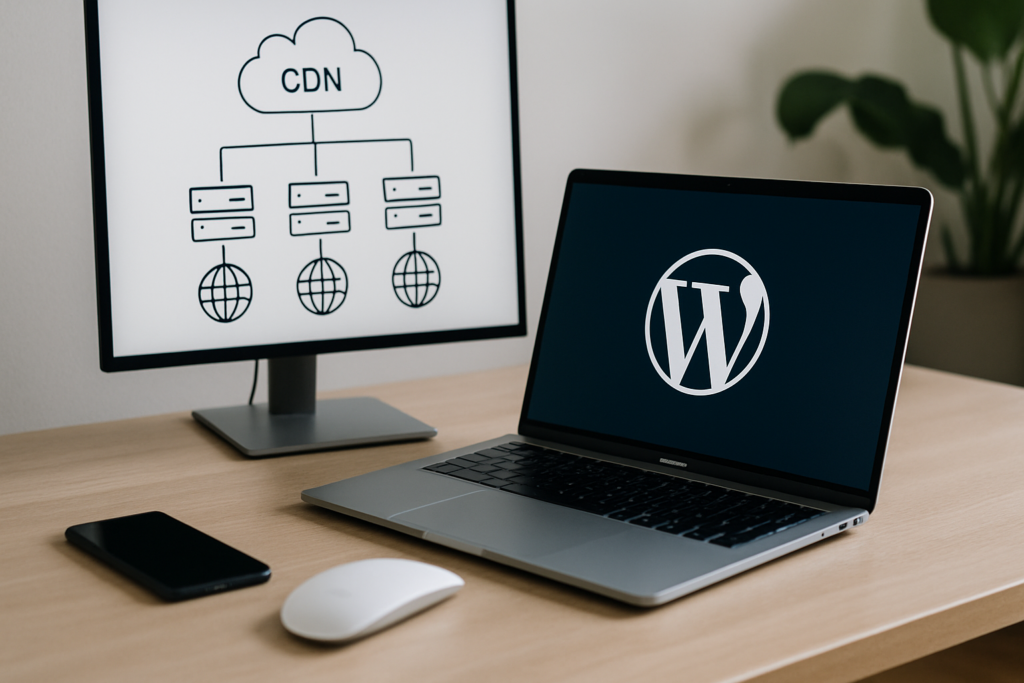
If your WordPress site loads in under a second for you but crawls for visitors two states away, distance is usually the culprit, and a CDN (content delivery network) is the fix. A CDN stores copies of your images, CSS, JavaScript and often your full HTML on servers around the world, so each visitor is served from the location closest to them. For most WordPress sites, that single change shaves several hundred milliseconds off load time and takes real pressure off the origin host.
This guide covers what a content delivery network actually does, how the request path works, where it genuinely helps WordPress, and, just as importantly, the problems it will not solve no matter how much you pay.
What Is a CDN?
A content delivery network is a distributed group of servers (usually called edge nodes or points of presence) that cache and deliver your website’s files from locations near your visitors. Instead of every request traveling to your single origin server, the network answers from the nearest node. Cloudflare’s learning center puts it plainly: a CDN is not a web host, it is a delivery layer sitting in front of your host.
Well-known content delivery network companies include Cloudflare, Amazon CloudFront, Fastly, Akamai, Bunny.net and KeyCDN. In cloud computing terms, they are edge infrastructure: you keep your hosting account exactly as it is, and the CDN handles distribution.
How a CDN Request Works
The mechanics matter because they explain where the speed comes from. Here is the path a typical request takes once a CDN is active:
- A visitor in Denver requests your homepage. DNS points them to the CDN, not directly to your server.
- The network routes them to the nearest edge node, often within 50 to 500 miles.
- If the node already has a cached copy (a cache hit), it responds in milliseconds without ever touching your origin.
- If it does not (a cache miss), the node fetches the file from your host once, serves it, and stores it for the next person.
Latency is the quiet killer here. Every round trip across a continent costs roughly 60 to 100 milliseconds, and a single page can trigger 40 to 80 requests. Cutting the physical distance on most of those requests is where the measurable gain comes from.
Why WordPress Sites Benefit More Than Most
WordPress is a database-driven application. Every uncached page view means PHP execution, multiple MySQL queries and whatever your theme and plugins pile on top. A CDN removes a large share of that work before it ever reaches your server.
- Static assets dominate page weight. Images, fonts, CSS and JS typically account for 70 to 90 percent of the bytes on a WordPress page, and all of it caches beautifully at the edge.
- Shared hosting has thin margins. Offloading asset delivery frees your origin’s CPU and memory for the dynamic requests that actually need it.
- Traffic spikes stop being scary. A newsletter blast or a post that catches fire hits the edge network, not a single overworked server.
- Core Web Vitals improve. Largest Contentful Paint is usually an image or hero block, and serving that from a nearby node directly moves the number Google measures. Google’s own Core Web Vitals documentation treats LCP under 2.5 seconds as the passing threshold.
If you are working through performance broadly, pair this with our guide on speeding up WordPress for better Core Web Vitals, since a CDN is one layer of a stack, not the whole stack.
Reliability, Redundancy and Security
Speed gets the headlines, but uptime and protection are often the stronger argument. Because the network holds cached copies across dozens of locations, a brief origin outage does not necessarily take your pages offline. Many providers offer an “always online” mode that serves the last good cached version while your host recovers.
For a closer look at this topic, see our guide: How to Optimize Your WordPress Database for Faster Loading.
On the security side, a CDN acts as a shield in front of your real IP address. Most providers bundle DDoS mitigation, bot filtering, rate limiting on login endpoints and free TLS certificates. That layer complements, rather than replaces, hardening at the application level, which we cover in the ultimate WordPress security checklist.
What a CDN Will Not Fix (The Part Most Guides Skip)
This is where a lot of site owners waste money. A content delivery network distributes your problems faster; it does not remove them. Before you sign up, be honest about these limits:
- A slow Time to First Byte on dynamic pages. If your checkout, cart or logged-in dashboard takes 1.8 seconds to generate, the edge cannot cache it and your visitor still waits.
- Bloated themes and plugin sprawl. Delivering 4 MB of unused JavaScript from a nearby server is still delivering 4 MB. Audit first.
- Unoptimized images. A 3000 pixel wide JPEG at 2 MB is a problem the CDN inherits. Compress and convert to WebP or AVIF using one of the best image optimization plugins for WordPress before you cache anything.
- Bad hosting fundamentals. If your origin runs PHP 7.4 on oversold shared hardware, fix that first. Our guide on choosing the best WordPress hosting provider walks through what to look for.
- Purely local, low-traffic sites. A plumber in one metro area serving 400 visits a month from within 30 miles will see minimal benefit from global distribution.
Configuring a WordPress CDN Correctly
Most CDN complaints (broken carts, stale prices, admin pages caching) come from configuration, not the technology. A safe WordPress setup usually looks like this:
- Exclude the obvious paths from full-page caching: /wp-admin/, /wp-login.php, /cart/, /checkout/, /my-account/ and any REST endpoints your plugins rely on.
- Bypass cache for logged-in users by respecting the wordpress_logged_in cookie and WooCommerce session cookies.
- Set long TTLs on static assets (30 days to a year is normal) and rely on versioned filenames for cache busting.
- Enable Brotli compression and HTTP/3 if your provider supports them, since both are free wins.
- Set up automatic purging so publishing or editing a post clears the relevant edge cache within seconds.
Plugins such as WP Rocket, LiteSpeed Cache, W3 Total Cache and Cloudflare’s official plugin handle most of this through checkboxes. If you are wary of touching templates or config, that is fine; you can get a long way without code, much like customizing your WordPress theme without knowing how to code.
Cloudflare CDN and the Realistic Cost Picture
Cloudflare remains the default answer for most WordPress owners because the free plan includes unlimited bandwidth, global caching of static assets, TLS and basic DDoS protection. Paid Cloudflare plans start around 20 to 25 dollars per month for Pro, with the Automatic Platform Optimization add-on (roughly 5 dollars monthly) enabling full HTML caching for WordPress.
Alternatives are worth pricing out. Bunny.net charges roughly 0.01 to 0.03 dollars per GB with a 1 dollar monthly minimum, KeyCDN sits near 0.04 dollars per GB, and Amazon CloudFront is usage-based with a generous free tier. For a typical small business site moving 20 to 60 GB a month, expect anywhere from free to about 10 dollars monthly.
How to Measure Whether It Actually Helped
Do not trust a vibe check from your own browser; you are almost certainly close to your server and heavily cached. Instead, benchmark deliberately:
- Run WebPageTest from three distant locations before and after, and compare Time to First Byte and LCP.
- Check your CDN dashboard’s cache hit ratio. Above 85 percent on static assets is healthy; below 60 percent means your rules need work.
- Watch field data in Google Search Console’s Core Web Vitals report over 28 days, since that reflects real visitors rather than a lab test.
- Track origin CPU usage in your host’s panel. A good rollout often drops it 30 to 50 percent.
Speed is one input into rankings, not a magic lever, so treat it alongside the other fundamentals in our list of quick ways to improve your WordPress SEO. If most of your traffic comes from a single city or county, the strategic picture changes too, which is something we unpack in the benefits of working with a local agency.
Frequently Asked Questions
Which CDN is best for WordPress?
Cloudflare is the best starting point for roughly 80 percent of WordPress sites, mainly because the free tier covers unlimited bandwidth and integrates through an official plugin. High-traffic media sites and stores often prefer Bunny.net for granular pricing or Fastly for edge logic, while managed hosts like Kinsta and WP Engine include their own network in the plan.
Is a CDN necessary?
No, a CDN is not strictly necessary, but it becomes worthwhile once you exceed roughly 5,000 monthly visitors or serve an audience more than 500 miles from your server. A brochure site with local-only traffic and good hosting may see improvements of under 100 milliseconds, which rarely justifies extra configuration complexity.
What is a content delivery network (CDN)?
A content delivery network is a geographically distributed set of proxy servers that cache and deliver website files from the location nearest each visitor. It sits between your audience and your web host, reducing latency, absorbing traffic spikes and filtering malicious requests before they reach your origin.
Should I use Cloudflare on my website?
For most WordPress owners, yes, and the free plan is enough to start. The main caveats are that you must move DNS management to Cloudflare, and misconfigured caching or firewall rules can break forms, carts or admin functions, so test key pages carefully after activation.
Does a CDN help SEO?
Indirectly, yes: faster LCP and lower TTFB support Core Web Vitals, which Google uses as a ranking signal within its page experience system. The bigger practical win is usually behavioral, since pages that render in under two seconds tend to hold visitors far better than pages that take four.
Want Help Setting Up a CDN on Your WordPress Site?
If you would rather not gamble with cache rules on a live store or lead-generating site, we can audit your setup, configure the network properly and show you the before and after numbers. Get in touch with SEO Quirk and tell us what your site is doing today.